



















































BAC Calculator for iPhone

How to add Alcohol Calculator to your Home Screen

  1. Open the website in Safari browser.
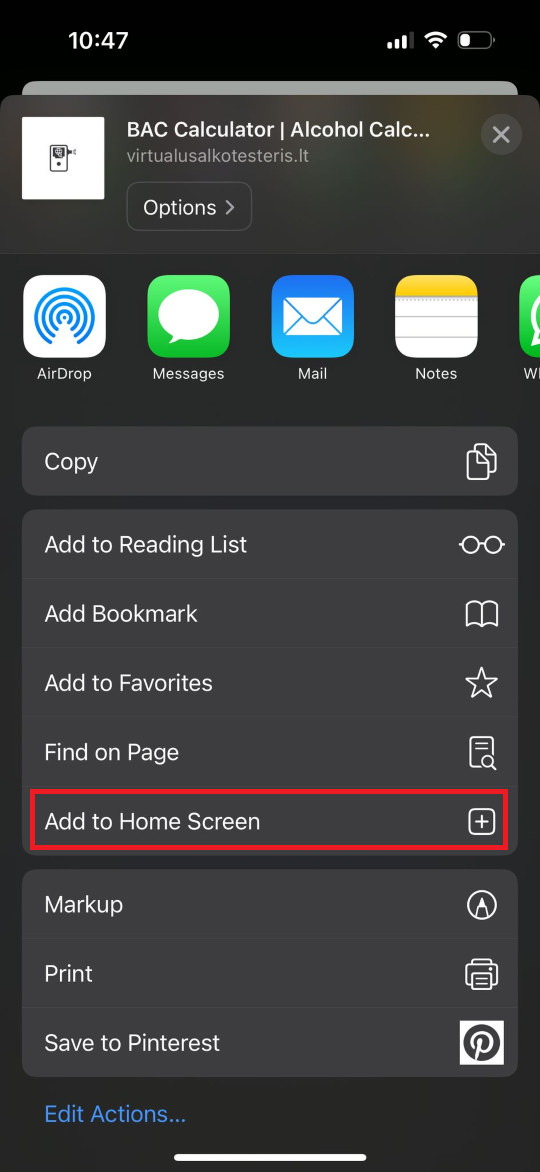
  2. Press the Share icon at the bottom.
  3. Scroll down until you see "Add to Home Screen" and click it.
  4. Confirm by clicking "Add".
  5. The Alcohol Calculator will appear in your app list.
BAC Calculator on iPhone

Alcohol Calculator for Android

Instructions

  1. Open the page in Chrome browser.
  2. If you see "Add Alcohol Calculator to Home Screen" at the bottom, click it and follow the instructions.
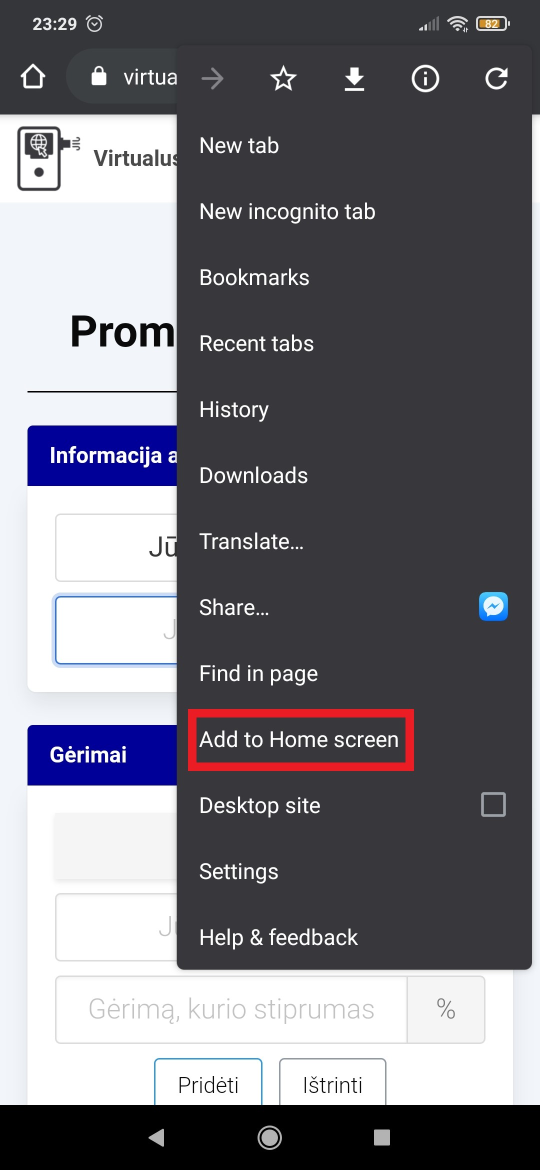
  3. If the notification does not appear, open the menu and select "Add to Home Screen".
  4. After installation, you will find the "Alcohol Calculator" app on your phone.
Alcohol Calculator on Android