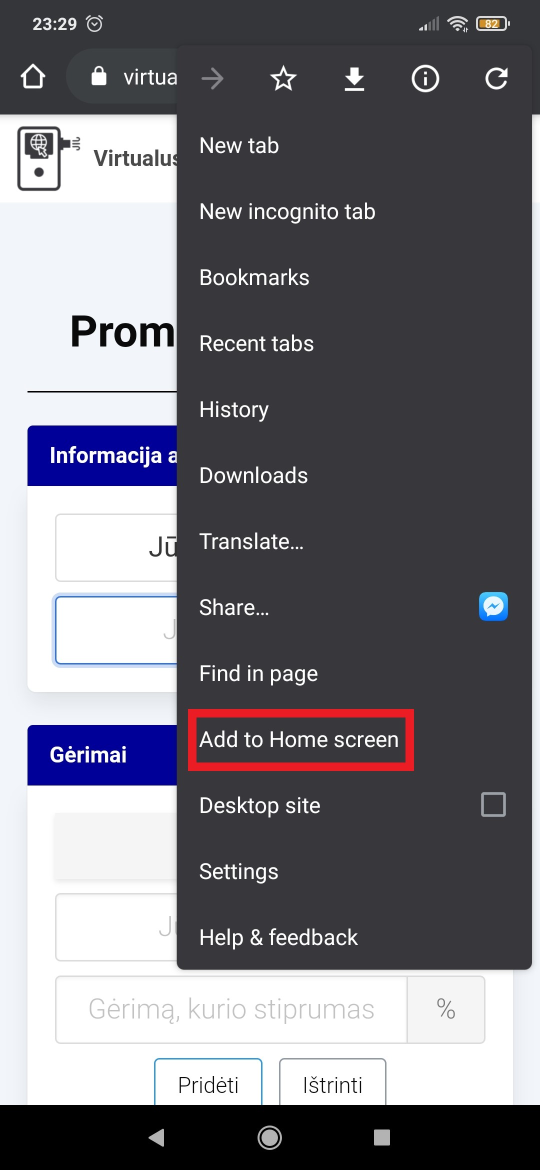
Calculate BAC on iPhone
Add SmartBAC to Your iPhone
- Open this website in Safari.
- Tap the Share icon at the bottom.
- Select 'Add to Home Screen'.
- Tap 'Add' to confirm.
- The SmartBAC icon will appear on your home screen.
 Argentina
 Australia
 Austria
 Belgium
· Français
Belgium
· Nederlands
Belgium
· Français
Belgium
· Nederlands
 Bosnia and Herzegovina
 Brazil
· English
Brazil
· Português
Brazil
· English
Brazil
· Português
 Bulgaria
 Canada
· English
Canada
· Français
Canada
· English
Canada
· Français
 Chile
Chile
 Colombia
 Croatia
· English
Croatia
· Croatian
Croatia
· English
Croatia
· Croatian
 Czechia
 Denmark
 Estonia
 Finland
 France
· Français
France
· English
France
· Français
France
· English
 Georgia
· Georgian
Georgia
· Russian
Georgia
· Georgian
Georgia
· Russian
 Germany
 Hungary
 India
India
 Ireland
 Israel
 Italy
· Italiano
Italy
· English
Italy
· Italiano
Italy
· English
 Japan
· Japanese
Japan
· English
Japan
· Japanese
Japan
· English
 Latvia
 Lithuania
· English
Lithuania
· Lietuvių
Lithuania
· English
Lithuania
· Lietuvių
 Luxembourg
· Deutsch
Luxembourg
· Français
Luxembourg
· Deutsch
Luxembourg
· Français
 Mexico
· Español
Mexico
· English
Mexico
· Español
Mexico
· English
 Moldova
· Română
Moldova
· Russian
Moldova
· Română
Moldova
· Russian
 Netherlands
 New Zealand
 Norway
 Poland
 Portugal
 Romania
 Russia
 Scotland
 Serbia
 Singapore
 Slovakia
 Slovenia
 South Africa
 South Korea
 Spain
· Español
Spain
· English
Spain
· Español
Spain
· English
 Sweden
 Switzerland
· Deutsch
Switzerland
· Français
Switzerland
· Deutsch
Switzerland
· Français
 Taiwan
 Thailand
· ไทย
Thailand
· English
Thailand
· ไทย
Thailand
· English
 Turkey
 Ukraine
 United Arab Emirates
 US
· English
US
· Español
US
· English
US
· Español
Add SmartBAC to Your iPhone
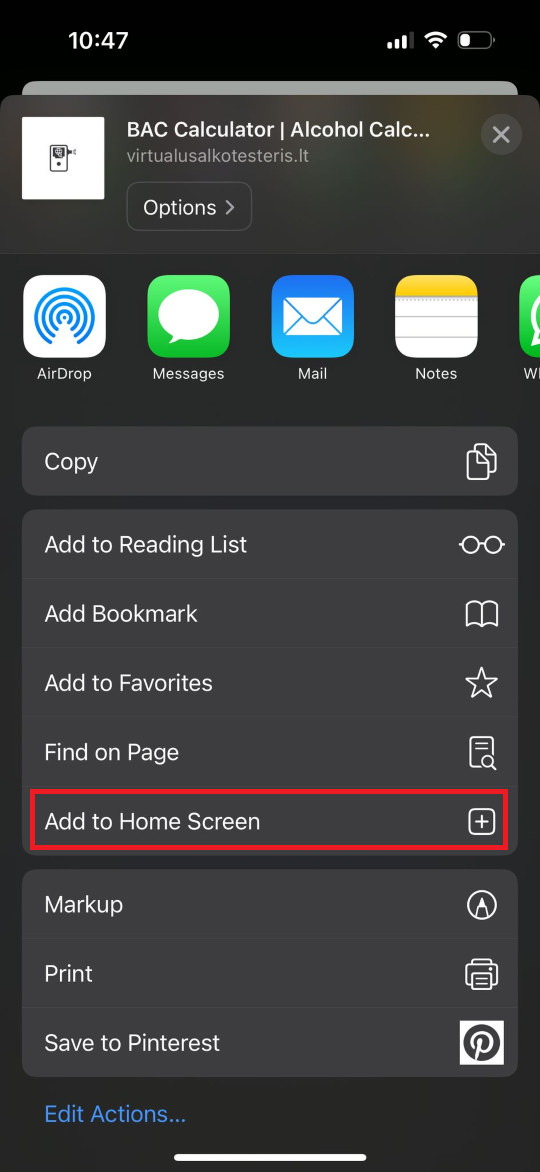
How to Install the App