

















































We use cookies to improve your experience.

BAC Calculator on iPhone

How to add the SmartBAC app to your home screen

  1. Open the website using Safari browser.
  2. On the bottom of the screen press share logo.
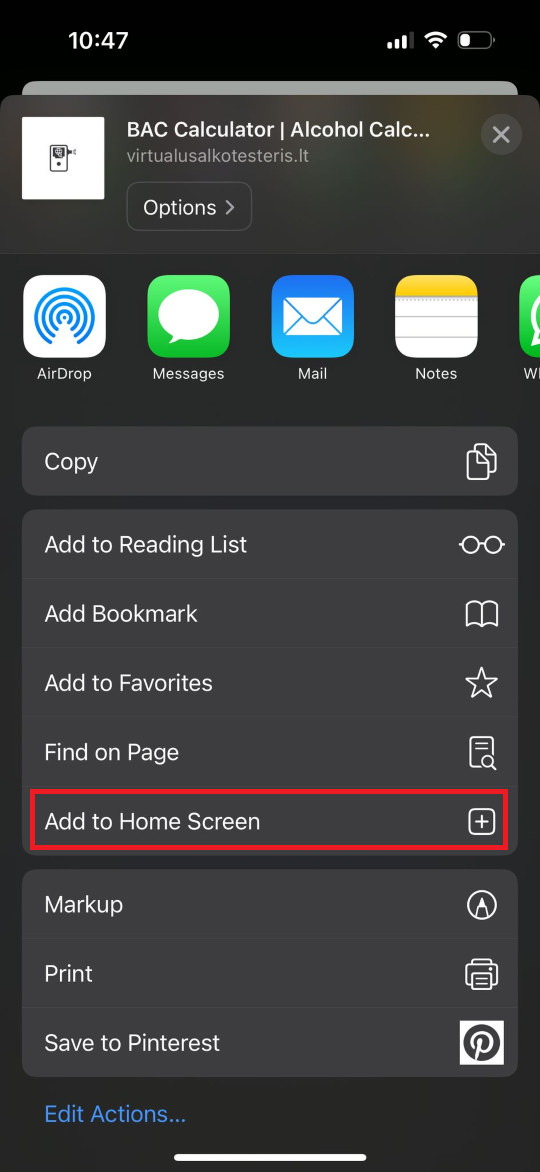
  3. Scroll down until you see "Add to Home Screen" and click on it.
  4. Confirm the action by clicking "Add" on top of the screen.
  5. After successfully adding the SmartBAC app to your screen the app should appear in the main list of your apps.
BAC Calculator on iPhone

BAC Calculator on your Android phone

How to

  1. Open the page using the Chrome browser.
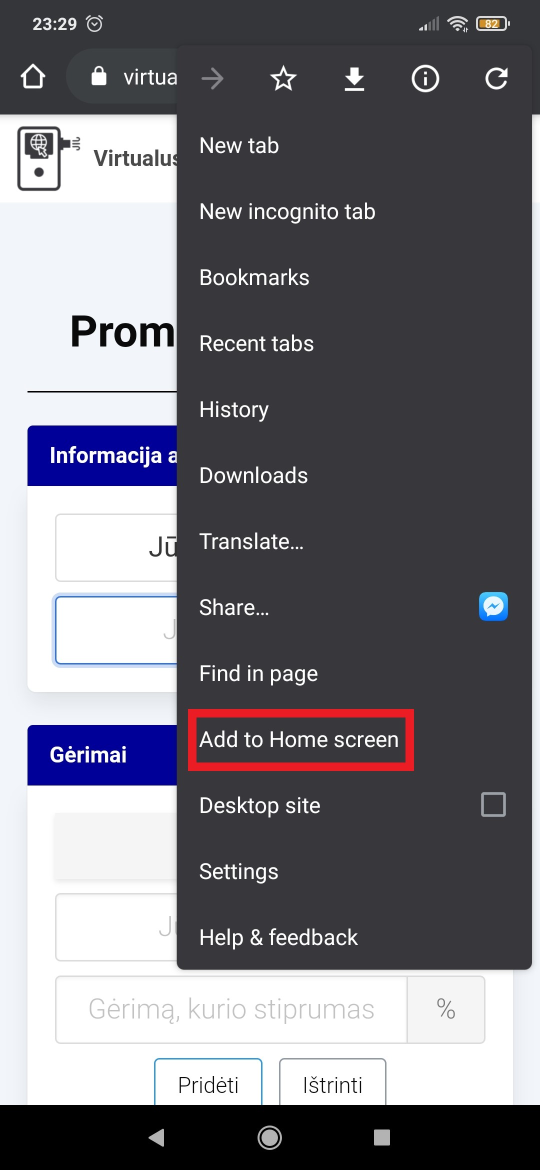
  2. If you see "Add SmartBAC to Home screen" at the bottom of the screen, simply click on this note and follow the following instructions to install the app.
  3. If the aforementioned note does not appear, expand the browser menu as shown in the picture and click "Add to Home screen" and follow the installation instructions.
  4. After successful installation, find the "SmartBAC" app on your phone.
BAC Calculator on your Android phone